
AI pixel art
VFX generator.
Generate animated pixel art spells, slashes and explosions for 2D games. Refine the motion with Smith, then export transparent sprite sheets or a Godot 4 pack.
Pixel effects at game scale
Watch a sword slash, a quarry blast, and a healing spell at game scale. Look for the moment each effect tells you what happened.
Sword slash
The blade trail shows the reach of the swing. Sparks and a brief pause mark the hit.
Edit a sword slash before export
Scrub to the impact frame, then adjust the arc, color, and playback speed. Your export uses the settings below.
Create pixel VFX with Codex or Claude Code
Connect the official skill and ask for an effect in context. In this demo, the sentinel’s casting motion cues a lightning strike.
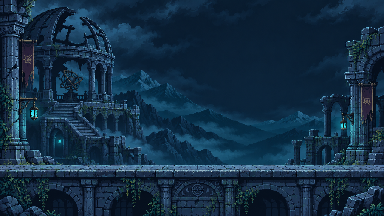
“Make a pixel sentinel that calls down lightning. Preview it in the arena.”
- Connect MCP and install the official skill
- Prepare the character and its attack timing
- Attach the lightning effect and preview
Start with the effect
your game needs
Choose a brief for your attack, spell or recovery animation. Each guide explains the shape, timing and export settings to check before using it in your game.
Explore all VFX generators- Pixel Art Slash GeneratorBlade arcs, contact flashes and short trails
- Pixel Art Spell GeneratorProjectile cores, casting flashes and magic trails
- Pixel Art Explosion GeneratorImpact flashes, shock rings, smoke and debris
- Pixel Art Lightning GeneratorForked bolts, storm attacks and ground impacts
- Pixel Art Healing Effect GeneratorRecovery pulses, rising motes and support spells
From a brief to a game asset
Describe and generate
Set the action, palette, canvas size and impact timing. Start from a free library effect or your own brief. Opening a draft never starts a paid run.
Refine and keep versions
Ask Smith to change the silhouette, color or motion in the same project. Compare saved versions and organize the results in My assets.
Export and test in game
Download a transparent PNG sprite sheet with animation JSON, PNG frames, a GIF or a Godot 4 pack. Check scale, pivot and timing with the Godot guide or sprite sheet guide.
Library downloads, manual edits and exports are free. AI generation uses credits; review plans and credit rules before starting. Library assets keep their MIT notices.
Pixel VFX questions
What can I make?
Create slashes, spells, explosions, lightning strikes, healing effects, and other pixel art animations for 2D games. Read the creation guide.
Can I try it for free?
New accounts get 10 credits to try Smith. Preview, recolor, and download free library effects.
How do I refine a generated effect?
Ask Smith for a new version in the same project and compare the saved results. Adjust colors and playback speed in the editor. Effects that expose separate parts also support per-part controls.
What files can I export?
Transparent PNG sprite sheets with animation JSON, PNG sequences, animated GIFs, and Godot 4 packs. See the Godot guide or the sprite sheet guide.
How do credits work?
AI creation uses credits. Manual editing and exports are free. See pricing for Starter, Pro, Ultra plans and the current credit rules.
How are the assets licensed?
The library retains the upstream MIT notices. Original generated work follows the generated output terms.